
The Problem with Disconnected Business Data
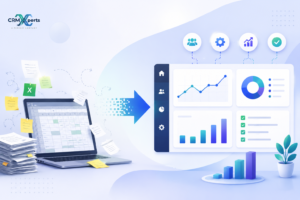
Pull up your CRM. Now open your ad platform. Now your accounting software. Now that spreadsheet someone on the finance team updates every Thursday.
Four tabs. Four different stories about the same business. And if you want one coherent picture good luck. Someone’s spending two hours this week doing that manually, and the result will be slightly wrong by the time it gets presented because one of those sources updated overnight.
This isn’t a data problem. Most businesses have more data than they know what to do with. It’s a connected data problem. Individual tools track what they track, and they do it well. What they don’t do is talk to each other in a way that makes the full picture visible without significant manual effort.
That manual effort has a real cost not just in time, but in the decisions that get made on incomplete information. When the marketing team can’t see what happened to the leads they sent over last quarter, they optimize for volume rather than quality. When finance can’t see pipeline alongside revenue, forecasting is guesswork dressed up as analysis.
Zoho Analytics exists specifically for this situation. It’s not trying to replace any of your existing tools. Instead, with the help of Zoho Analytics services, it acts as the layer that connects them pulling data from across the business, organizing it, and presenting it through data dashboards and reports that actually answer the questions you’re trying to make decisions from.
What Is Zoho Analytics, Really?
It’s a cloud-based business intelligence platform. That’s the official description and it’s accurate enough, though it undersells what it does in practice.
The useful version: it’s a tool that takes data from multiple places your CRM, your marketing platforms, your accounting system, spreadsheets, databases, external APIs and builds reporting on top of all of it together. Not separately. Together.
So instead of a sales dashboard that shows pipeline, and a separate marketing dashboard that shows campaign performance, and a separate finance dashboard that shows revenue you get one view where those things sit next to each other and inform each other. Did the Q3 campaign actually drive revenue, or did it drive leads that went nowhere? That question can’t be answered when the data lives in separate tools. It can be answered in Zoho Analytics when those tools are connected properly.
The platform handles data visualization, business data analytics, and dashboard creation across all of it. For businesses already in the Zoho ecosystem using zoho one services, zoho creator services, or Zoho CRM the integration is particularly clean because the data model is designed to work across the suite. But it also integrates with tools outside that ecosystem, including Salesforce, Google Ads, and most common SaaS platforms.
What Zoho Analytics Services Actually Cover
Here’s where a lot of businesses get tripped up. They buy the platform, spend a few weeks trying to set it up internally, and end up with something that technically works but doesn’t actually tell them anything useful.
Zoho Analytics services are the implementation, configuration, and ongoing support work that fills that gap. This means:
Getting data sources connected properly not just connected, but connected in a way where the data coming through is clean, consistently formatted, and structured so reports can be built on top of it reliably. CRM development services become part of this conversation early when the CRM has custom fields, non-standard pipeline stages, or complex deal structures that need to map correctly into the analytics layer.
Building dashboards that reflect how the business actually measures performance not the default views the platform ships with. A professional services firm and an ecommerce brand have almost nothing in common in terms of what they need to see. Generic dashboards serve neither well.
Staying involved after launch for Zoho Analytics integration maintenance, troubleshooting when data connections break, and updating reports as the business evolves. The implementation is not the finish line. It’s the start of an ongoing system that requires attention.
Setup: Where Most Implementations Go Wrong
The setup phase determines whether everything after it works or doesn’t and it’s the phase most businesses underinvest in.
Data source configuration sounds boring and is genuinely important. Every source CRM, marketing platform, financial system, spreadsheet needs to be connected in a way that produces consistent, trustworthy output. The fields need to be named correctly and mean the same thing across sources. Revenue in the CRM and revenue in accounting need to match, or every report that touches both becomes unreliable.
Data structuring is the step before that: looking at the raw data from each source and deciding what needs to be cleaned, deduplicated, or transformed before it’s reportable. This is the unglamorous part. It’s also the part that determines whether anyone trusts the dashboards that get built. Numbers that look slightly off even if they’re technically correct kill adoption faster than anything else.
User access configuration gets skipped constantly and causes problems constantly. Different teams need different levels of visibility. The sales team doesn’t need to see full financial reporting. Finance doesn’t need granular campaign-level marketing data. Getting access controls right at setup prevents both information security issues and the more common problem of people seeing reports that don’t apply to their work and concluding the whole system isn’t for them.
Initial dashboard creation sets the habits. Start with the reports the business checks most frequently weekly pipeline, campaign performance, cash position and build the muscle of actually using the dashboards before adding complexity.
Customization: Why the Default Setup Isn’t Enough
Standard dashboards show standard metrics. The problem is that the metrics that matter most in your business are usually not the standard ones.
Custom dashboards built around the actual KPIs that drive decisions in the business are what make Zoho Analytics useful rather than just present. For some businesses that means margin by product line. For others it’s customer acquisition cost by channel. For others it’s project utilization or churn rate by segment. The platform can show all of these but someone has to build the reports, define the calculated fields, and make sure the underlying data supports the analysis.
Lead scoring and custom crm development come into the picture here too. When CRM data feeds into analytics dashboards and the CRM itself has custom qualification stages, those stages need to be represented correctly in the reporting or the pipeline analysis is meaningless.
Advanced reports-trend analysis, cohort comparisons, period-over-period breakdowns require both proper data structuring and someone who knows how to build them in the platform. These are the reports that move the conversation from “what happened” to “why, and what should we do next.”
Integration: The Part That Makes Everything Else Work
Zoho Analytics integration is where the real value comes from, and it’s also where the most complexity lives.
CRM integration is usually the first priority. Connecting Zoho Analytics to the CRM whether through native zoho one services connectors or custom integration work means sales performance data flows into dashboards automatically, updated on whatever refresh schedule makes sense for the business. For companies running Salesforce alongside other tools, salesforce sales cloud services integration brings that data into the same reporting environment. Where native connectors fall short, salesforce api integration services handle the custom connection.
Marketing integration closes the attribution loop. Campaign data from Zoho Marketing Automation services, Google Ads, email platforms all of it feeding into dashboards alongside sales outcomes so the team can see which channels are actually driving revenue, not just which ones are driving clicks. This is the report most marketing teams wish they had and very few actually do.
Financial integration changes how leadership sees the business. Revenue and cost data connected to sales and marketing data means margin analysis, forecast accuracy, and ROI calculations are possible without a manual exercise every time. Zoho books implementation services make this seamless for businesses already using Zoho Books the data model is built to work together.
Third-party sources anything without a native connector require custom API integration work. Not every business needs this, but growing businesses almost always hit a point where one key data source isn’t covered by a standard connector, and crm development services that handle custom integrations become the solution.
The Dashboards That Actually Get Used
There’s a pattern in analytics implementations. Businesses spend time and money building comprehensive dashboards, launch them to the team, and six weeks later nobody’s checking them.
The dashboards that get used have a few things in common. They’re fast a dashboard that takes a minute to load stops getting checked. They answer a specific question rather than displaying every available metric. They’re relevant to the person looking at them, which means access controls and role-specific views matter. And they update automatically so opening them is worth the habit.
The ones that don’t get used try to show everything. Forty metrics on one screen answers no question clearly. Building focused data dashboards five or six numbers for each team, updated automatically, designed around the decisions that team actually makes is harder than it sounds and more valuable than it seems.
Benefits Worth Naming Directly
Better decisions happen when the data is complete and visible. Not because the data changes what’s happening but because leadership notices things they couldn’t see before, and acts on them faster.
Reporting time drops significantly. The hours spent pulling data from multiple tools and assembling them into presentations that work gets automated. CRM development services that keep data flowing cleanly into Zoho Analytics are part of what makes this reliable rather than aspirational.
Real-time visibility changes response time. Instead of finding out about a performance problem in last week’s report, teams see it the day it starts. Custom crm software development and proper integration architecture are what make real-time actually mean real-time.
And scalability a properly built analytics infrastructure handles growth without requiring a rebuild. That matters more than it seems when the alternative is outgrowing spreadsheets and starting from scratch.
Who Uses It and How
B2B sales teams use it for pipeline visibility, conversion rate tracking, and rep performance the data exists in the CRM already, and the value is seeing it clearly and historically rather than in snapshots.
Marketing teams use it for attribution connecting spend to pipeline to revenue across every channel rather than optimizing individual channels in isolation.
Finance uses it for reporting that doesn’t require manual assembly revenue by segment, margin by product, forecast vs. actuals updated continuously rather than at month-end.
Operations teams use it for the metrics that don’t fit sales or finance project timelines, support resolution rates, utilization. Zoho creator services extend this by feeding custom operational tools into the same reporting environment.
Mistakes That Are Worth Avoiding
Connecting data before cleaning it. Reports built on messy data produce numbers nobody trusts, and dashboards nobody trusts get ignored.
Building dashboards that try to show everything. Forty metrics on one screen isn’t comprehensive it’s unusable.
Skipping training after a successful implementation. The platform works. The team doesn’t use it. The investment doesn’t pay off. This happens more often than any provider will tell you upfront.
Where Analytics Is Heading
AI-powered anomaly detection the system flagging when something moves outside its expected range without anyone having to notice is real and available now. Natural language queries that let non-technical team members ask questions of their data directly are improving fast.
Predictive analytics forecast accuracy, churn risk, demand planning has gotten reliable enough to influence actual decisions rather than being treated as interesting but untrustworthy. The businesses with clean, well-structured data will use these capabilities effectively. The ones running on messy, disconnected data won’t, regardless of what the platform can do. CRM system development services are what build the underlying infrastructure that makes these capabilities work in practice.
Choosing a Provider
Technical competence is the baseline. The differentiator is whether the provider understands the business context which metrics matter, how the sales process actually works, what questions leadership is trying to answer and builds reporting around that rather than around what the platform defaults to.
Ask specifically about integration complexity. A provider who has only connected one or two simple data sources will struggle with a setup that involves a CRM, a marketing platform, a financial system, and a custom database simultaneously. A crm software development company with experience across the Zoho ecosystem handles this differently than a generalist who’s done a few projects.
Support after launch matters more than support during implementation. Ask how it works, what’s included, and what happens when a data connection breaks at 9pm before a board presentation.
FAQs
What are Zoho Analytics services?
Implementation, configuration, integration, and ongoing support work that turns the Zoho Analytics platform into a functioning analytics system for a specific business — as opposed to a software subscription that never gets fully configured.
How does Zoho Analytics work?
It connects to data sources across the business, structures and organizes that data, and presents it through dashboards and reports that update automatically. The reporting environment sits on top of the connected data rather than inside any individual source.
Can it integrate with CRM?
Yes. Native connectors handle most common CRMs. Custom crm software development handles the integration when standard connectors don’t cover specific data requirements or sync frequency needs.
Is customization necessary?
For almost every business, yes.
Default reports are starting points. The dashboards that drive real decisions are built around how the specific business measures performance, which requires customization work.
How long does setup take?
Simple single-source setups: days. Multi-source integrations with custom dashboards and CRM connection: several weeks. Businesses that rush this create data quality problems that take longer to fix than the time they saved.
Making Data Work for Your Business
The business owner with four open tabs,four separate, partial stories about the same company isn’t failing at data. The infrastructure is failing them.
Proper Zoho Analytics services fix the infrastructure: connecting the sources, structuring the data, building dashboards around the decisions that actually matter. When it’s done right, the reporting stops being a weekly manual exercise and becomes something the team checks every morning because it’s actually useful.
That’s the real outcome. Not impressive dashboards. Decisions made faster, on complete information, by people who trust what they’re looking at.

CRM implementation specialist at CRM Xperts, working with Zoho and Salesforce ecosystems to help businesses get more from their CRM investment.